

Lift Safety Switch Fault
The controller cannot get a normal reading from the top and bottom stop switches. On a lift that uses Physical limit switches, this prevents movement in both directions and turns Auto off.
Safety first
Do not bypass a stop switch
Release the control and turn the key OFF if fitted. Do not tape a switch, change the lift’s stopping system, open the controller, or touch wiring to clear the warning.
What to do now
- 1
Read the app message
Look for Limit Circuit Fault. On X4.4, the controller light flashes cyan (light blue) and red. A normal stop at the top or bottom is not this fault.
- 2
Look without touching
From a safe place on the dock, look for a broken switch, loose or damaged cable, corrosion, or debris near the lift.
- 3
Record what happened
Take a screenshot and photos of anything visibly damaged. Note whether the warning started while raising, lowering, or standing still.
- 4
Arrange service
A qualified installer must inspect the switches and wiring, repair the cause, and test both stops before normal use.
Example screens from Atlantis Boater. Names, device details, and settings are samples.
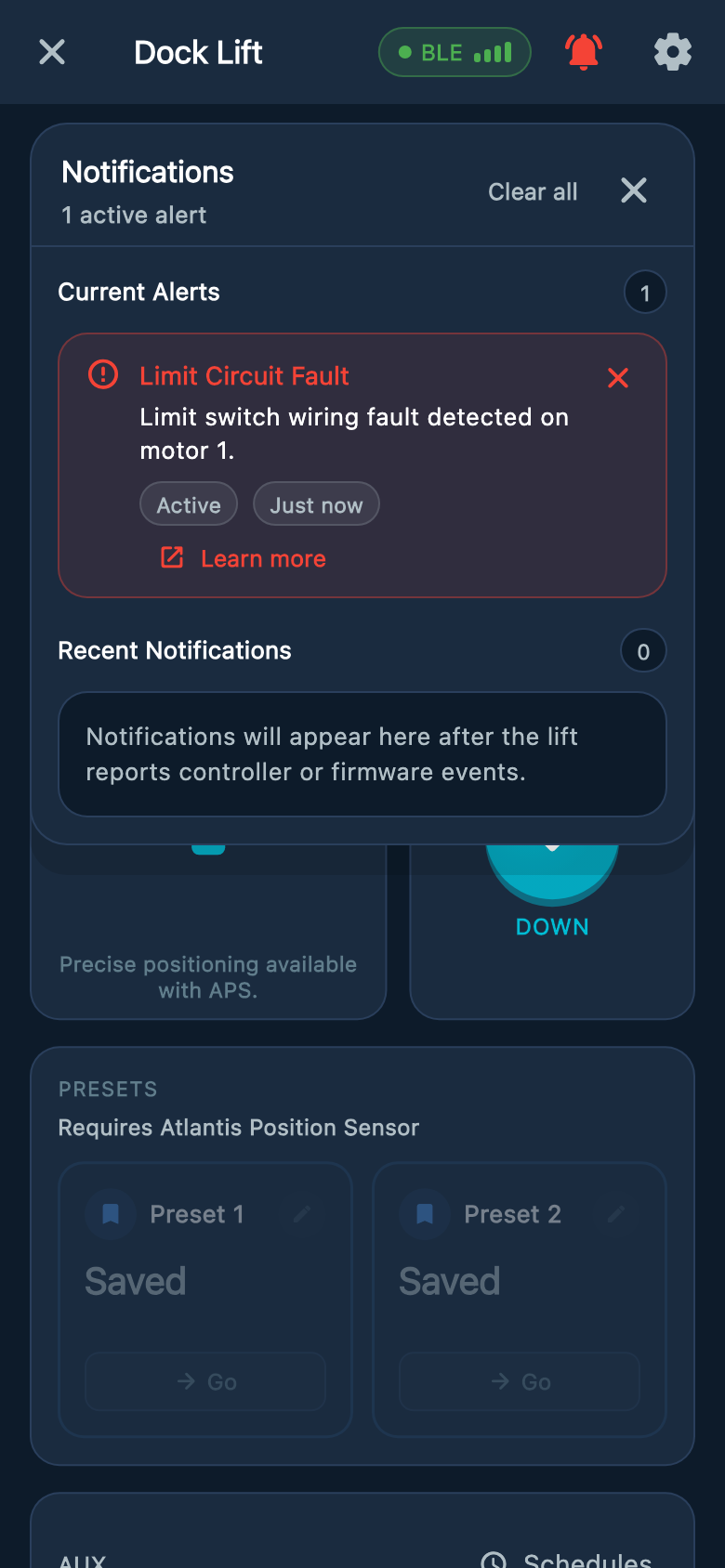
Select an image to enlarge it.
If the warning disappears
- The message can clear when the switch signals return to normal. A loose connection can appear to work again without being repaired.
- Leave the lift out of use until the cause has been checked. Auto must be turned on again only after the stops have been tested.
- Wrong Direction — Stopped is a different warning. Use the direction mismatch guide if that is the message you see.
Was this article helpful?
Tell us whether this answered your question.