

Atlantis Support · Hardware
Know your lift hardware
Understand the controller, the controls you use, and the equipment that tells your lift where to stop.
Compare lift setupsAlready installed? Keep the setup your installer tested. This guide helps you understand what is fitted to your lift.
The equipment
What each part does
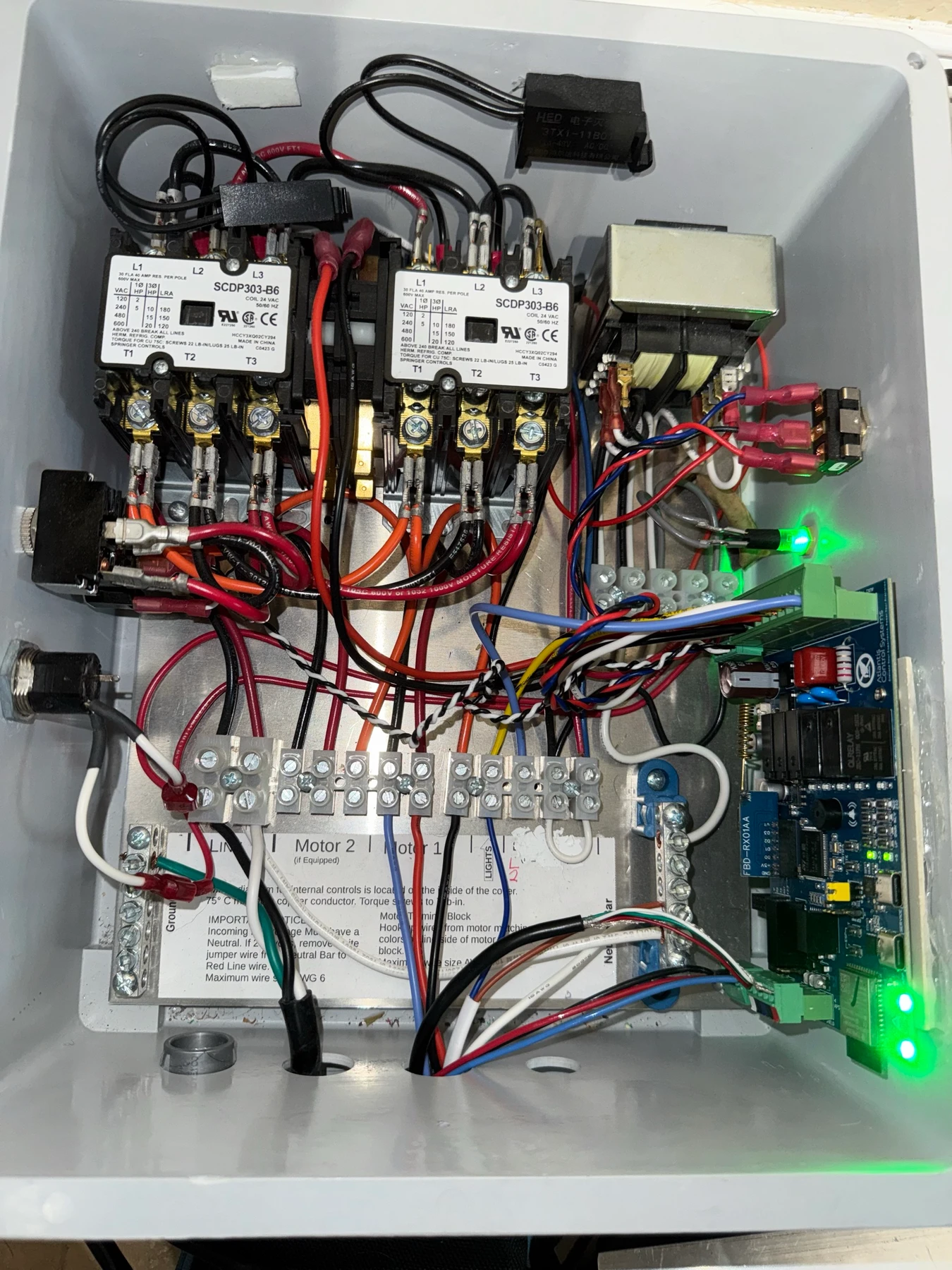
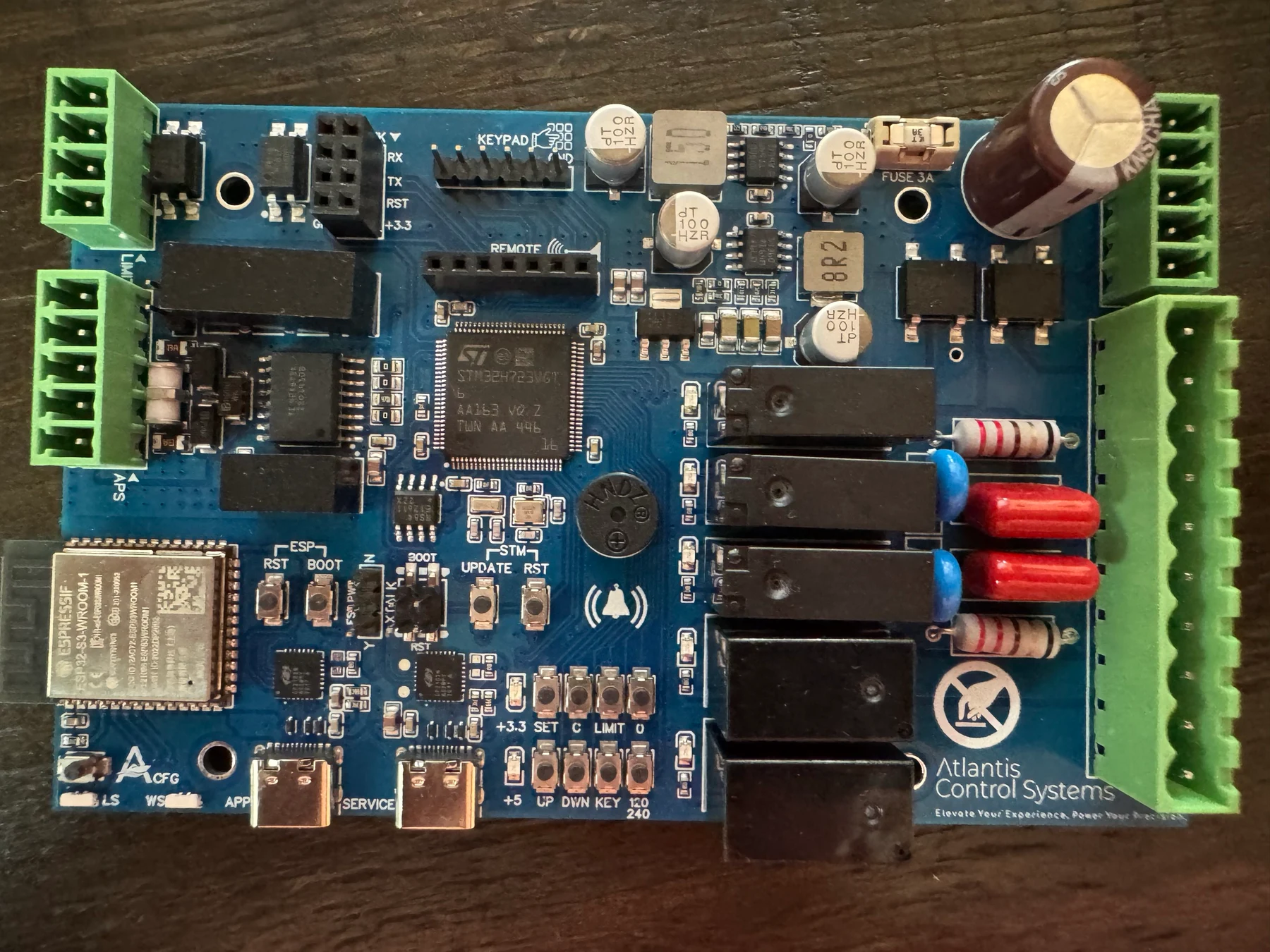
- Lift Controller
- Operates the lift motors and checks the stopping system. X4.4 is the current controller hardware. The enclosure and outside controls depend on the installation.
- App Bridge
- Connects the controller to Atlantis Boater over Bluetooth and Wi-Fi. The app lists a software version for the Lift Controller and another for the App Bridge. Seeing both is normal.
- Control switches and operating key
- The everyday UP and DOWN controls raise and lower the lift. A fitted AUTO switch or keypad button changes how movement starts and stops. Turn the operating key ON if your installation uses one.
- Wireless remote
- The standard remote has UP, DOWN, PRESET, and AUX buttons. It must be paired with your lift. PRESET needs APS and saved heights; AUX operates the accessories your installer connected. The remote does not change AUTO.
Stopping equipment depends on your lift
An Atlantis Position Sensor (APS) measures position. Physical limit switches detect the upper and lower stops. A deliberately configured manual lift has neither type of automatic endpoint protection.
You do not need APS for every installation. Use the comparison below to see what each setup provides.
Two lights, two different jobs
The lift-status light shows movement, operating mode, and warnings. The wireless light shows the connection. A green wireless light does not mean the lift is clear of warnings.
Identify a light or soundMore than one lift motor?
X4.4 operates the installed lift motors together. It does not provide separate corner-leveling controls. Ask your installer about the correct equipment and motor arrangement for your lift.
Three supported setups
What can your lift do?
The installed stopping equipment determines which features are available. An app setting cannot add a sensor or physical switches. Ask your installer if you are unsure which setup you have.
| Feature | Manual No limits | Physical limit switches | Atlantis Position Sensor (APS) |
|---|---|---|---|
| Top and bottom stops | You release the control | Installed switches | Saved stopping points |
| Automatic UP / DOWN | No | After installer testing | After setup and testing |
| Position display | No height reading | End stops only | Measured position |
| Saved heights (presets) | No | No | After setup and testing |
Manual: you choose when to stop
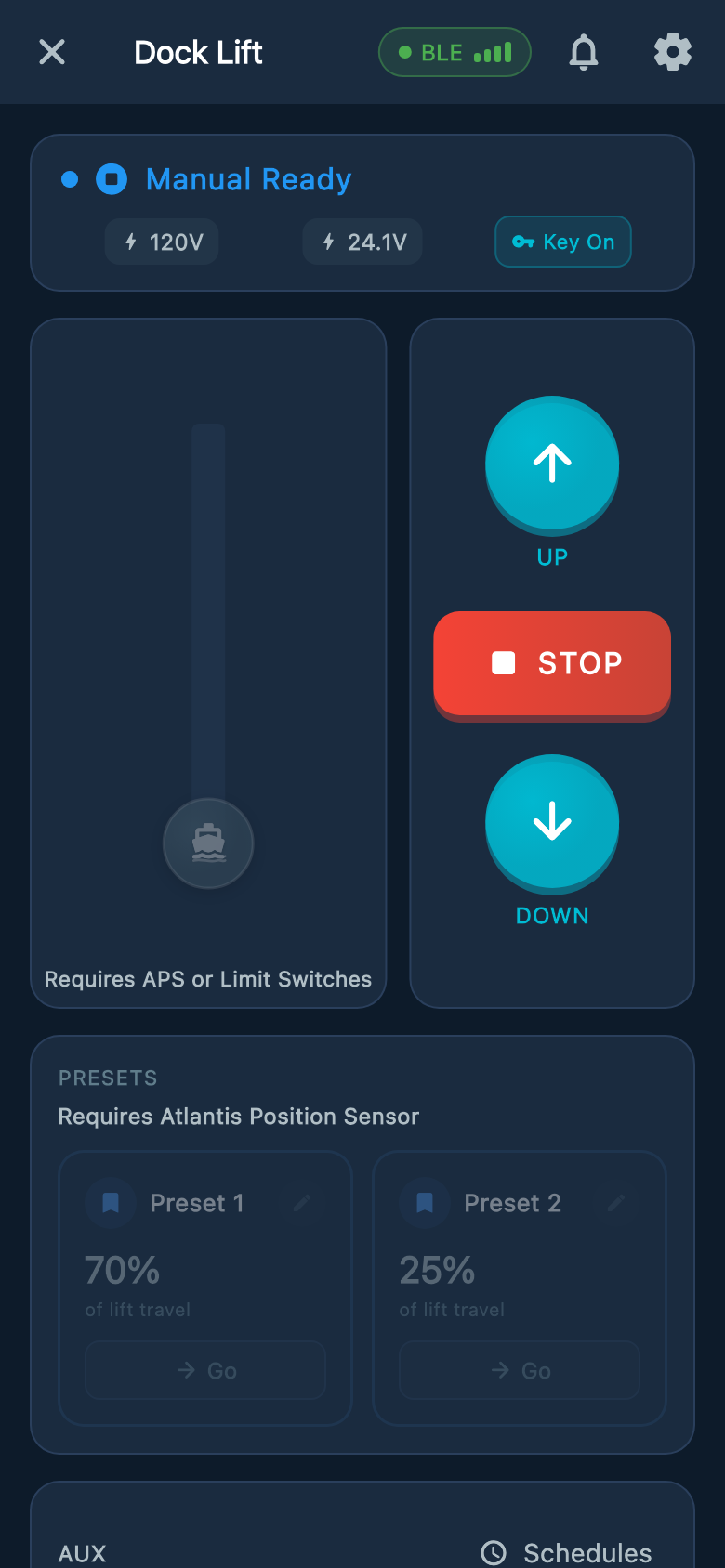
Hold UP or DOWN and release before the lift goes too far. The backup timer limits a run but does not know the lift's height. Your installer must demonstrate the safe stopping points.
Switches: stops at both ends
At a normal upper stop, you can lower the lift. At a normal lower stop, you can raise it. A fault may prevent movement. The app's middle position graphic is not a measured height.
APS: position and saved heights
Your installer sets and tests the position, both travel stops, and any saved heights before handoff. If the app says position is unsure or reports a sensor warning, stop and follow that warning.
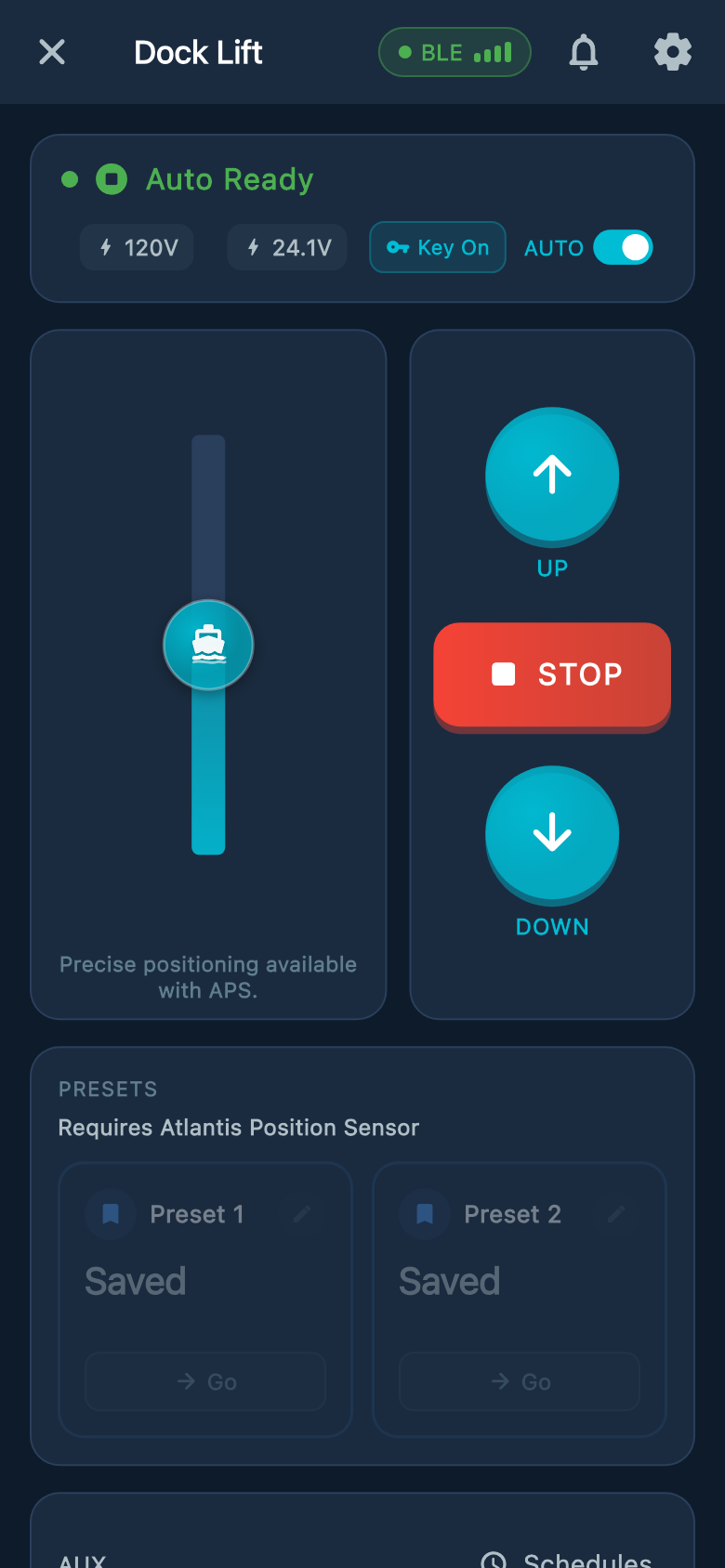
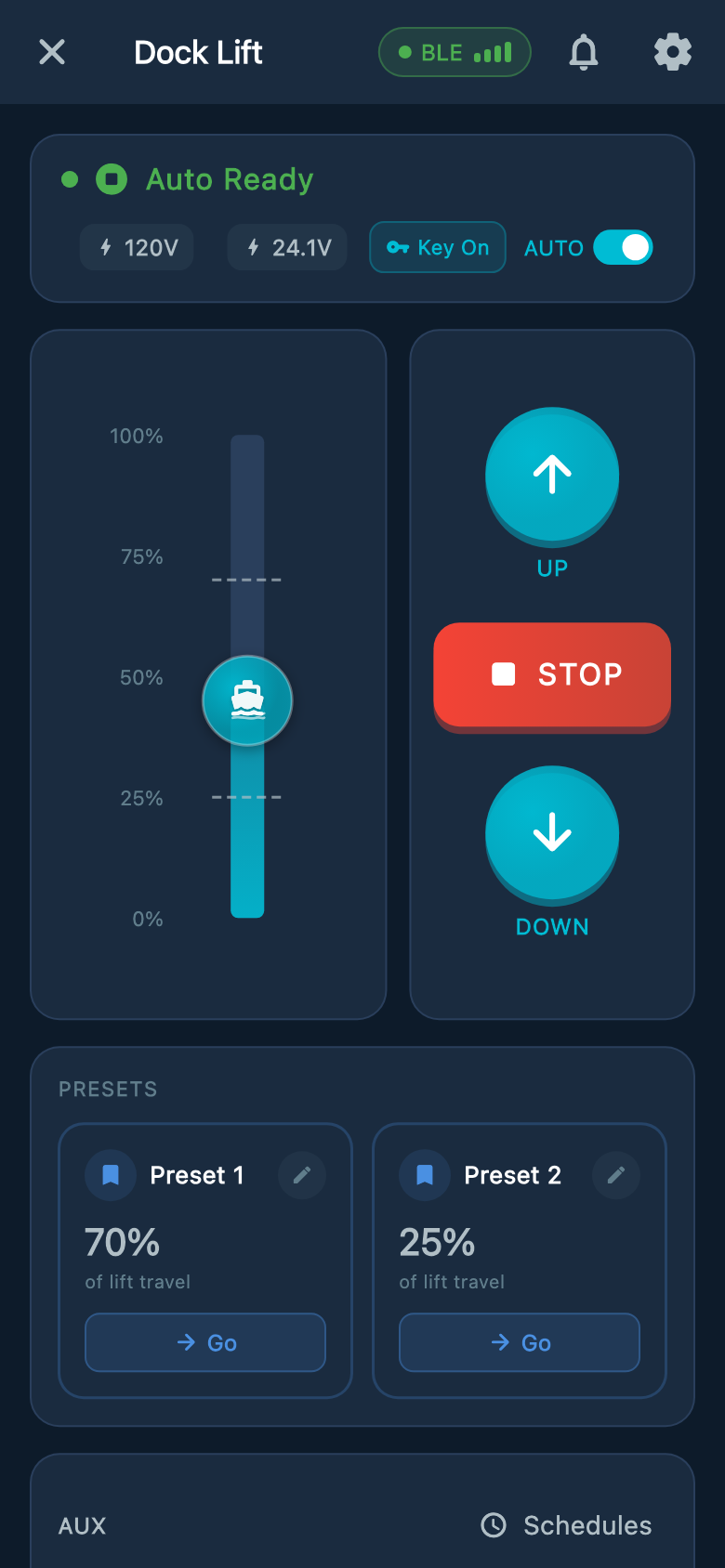
Example screens from Atlantis Boater. Names, device details, and settings are samples.
Select an image to enlarge it.
With AUTO off, hold UP or DOWN and release to stop. With AUTO on, releasing the button does not stop travel. Keep the lift in sight and know how to stop it before you begin.
UP, DOWN, AUTO, and stoppingYour controller details
Identify your lift without opening the box
- Read the outside label. Record the controller model and serial number. Take a clear photo from outside the closed enclosure.
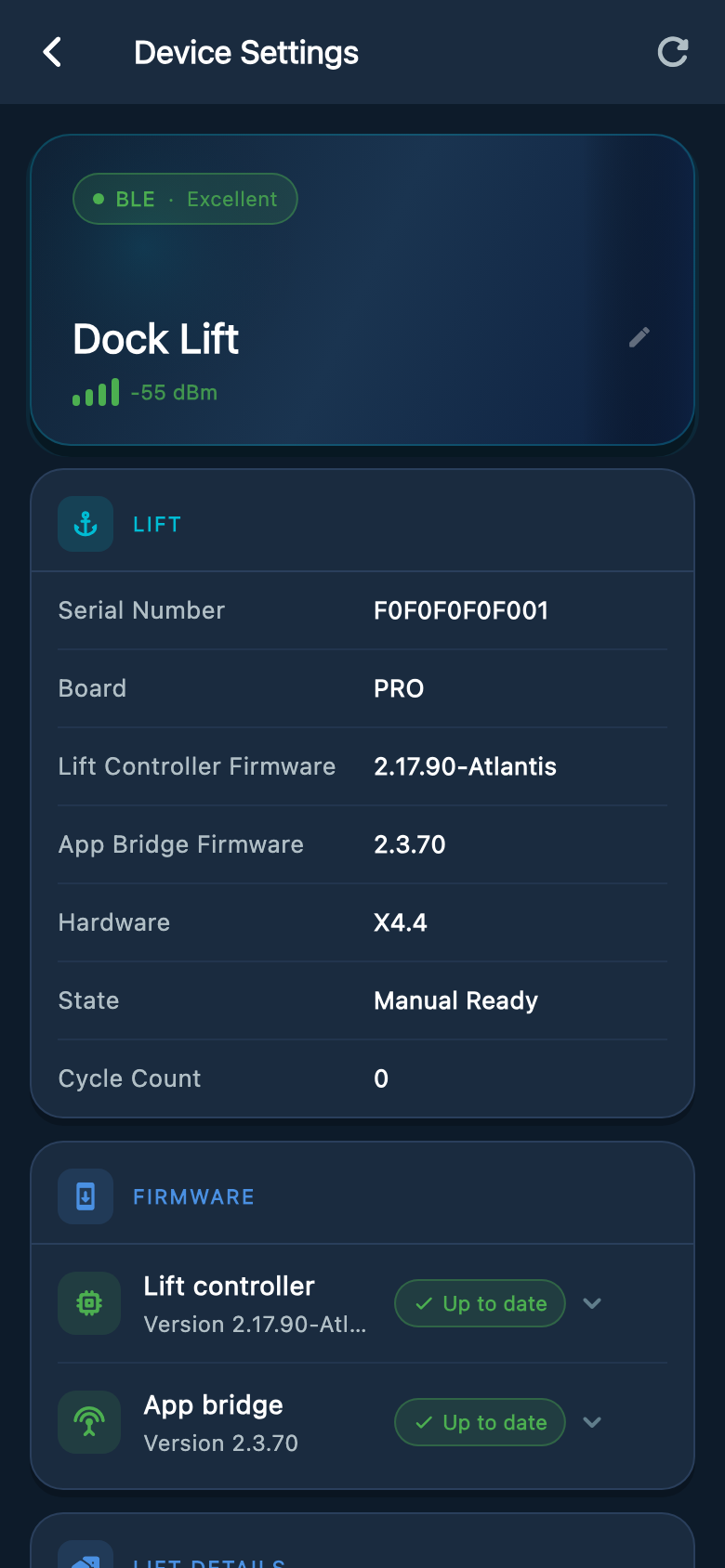
- Open Device Settings. In Atlantis Boater, select your lift, choose Open Lift Control, then tap the gear icon marked Lift & Device Info.
- Record the details. The Lift card shows the serial number, Hardware X4.4, Lift Controller Firmware, and App Bridge Firmware. Send a screenshot of your own screen.
- Include the warning. Capture the complete message and describe what happened. If the app cannot connect, send the outside label photo and describe the lights you can see.
If the app reports Memory Corruption or missing hardware information, keep the lift stopped and contact Atlantis Support. You do not need to open the box or diagnose the cause.
Controller identification helpExample screens from Atlantis Boater. Names, device details, and settings are samples.
Select an image to enlarge it.
Adding or replacing equipment
Choose the hardware with your dealer
Atlantis Mini retrofit kit
Atlantis Mini is the retrofit controller kit and is sold as a kit. Have your dealer confirm that it suits your existing lift and control box, and explain exactly what is included.
Atlantis Position Sensor
Atlantis Position Sensors (APS) are a separate purchase through your authorized dealer. The dealer must select the right sensor and mounting, then arrange setup and testing.
Physical limit switches
Limit switches are purchased separately. X4.4 requires normally-closed (NC) upper and lower switches. Normally-open switches are not supported. Have a qualified installer select, wire, and test both switches.
Confirm compatibility, kit contents, price, and availability before ordering. Installing or replacing hardware may require setup and safety tests before the lift can be used again.
Find the help you need
Use your lift
Remote, switches, app controls, and how to stop.
Maintain your equipment
Routine checks for your installed stopping system.
Read lights and sounds
Match the light, color, and sound to the right guidance.
Update the controller
App update steps, progress screens, and restart guidance.
APS or position warning
Help with APS Offline and sensor errors.
Position Unsure
What to do when the lift cannot confirm its position.
Limit Circuit Fault
Help when the stop-switch circuit blocks movement.
Wrong direction
Stop and arrange a check if movement does not match UP or DOWN.
Not sure what is fitted to your lift?
Send Atlantis Support the serial number, a photo of the closed controller and its label, and your app message or Device Settings screenshot. If you see water, cracks, heat damage, or a loose cover, leave the lift out of use and arrange service.
Was this article helpful?
Tell us whether this answered your question.