

Lift Sensor Warning
The Atlantis Position Sensor (APS) tells the controller how high the lift is. This warning means the controller cannot get a reliable reading.
Safety first
Stop the lift and leave Auto off
Release the movement control and keep everyone clear. Do not use saved positions or keep moving the lift to test the warning.
What to do now
- 1
Read the app message
Take a screenshot of the warning and note what the lift was doing when it appeared.
- 2
Wait with the lift stopped
An APS Offline message may clear when the sensor starts responding again. Auto stays off. If another warning remains or the message returns, contact your installer before using the lift.
- 3
Look from a safe distance
Note any visible damage to the sensor or its cable. Do not open the controller, move sensor parts, or touch wiring.
Example screens from Atlantis Boater. Names, device details, and settings are samples.
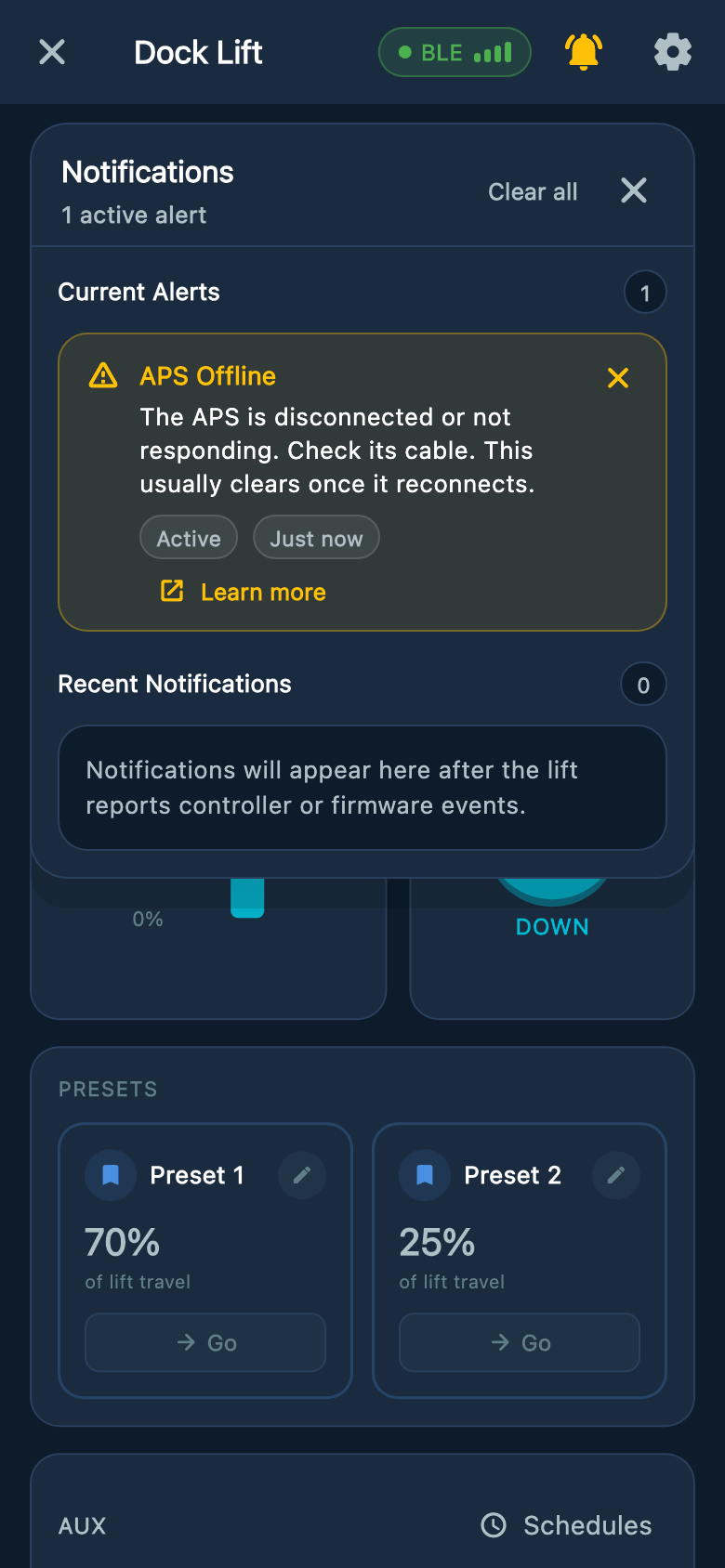
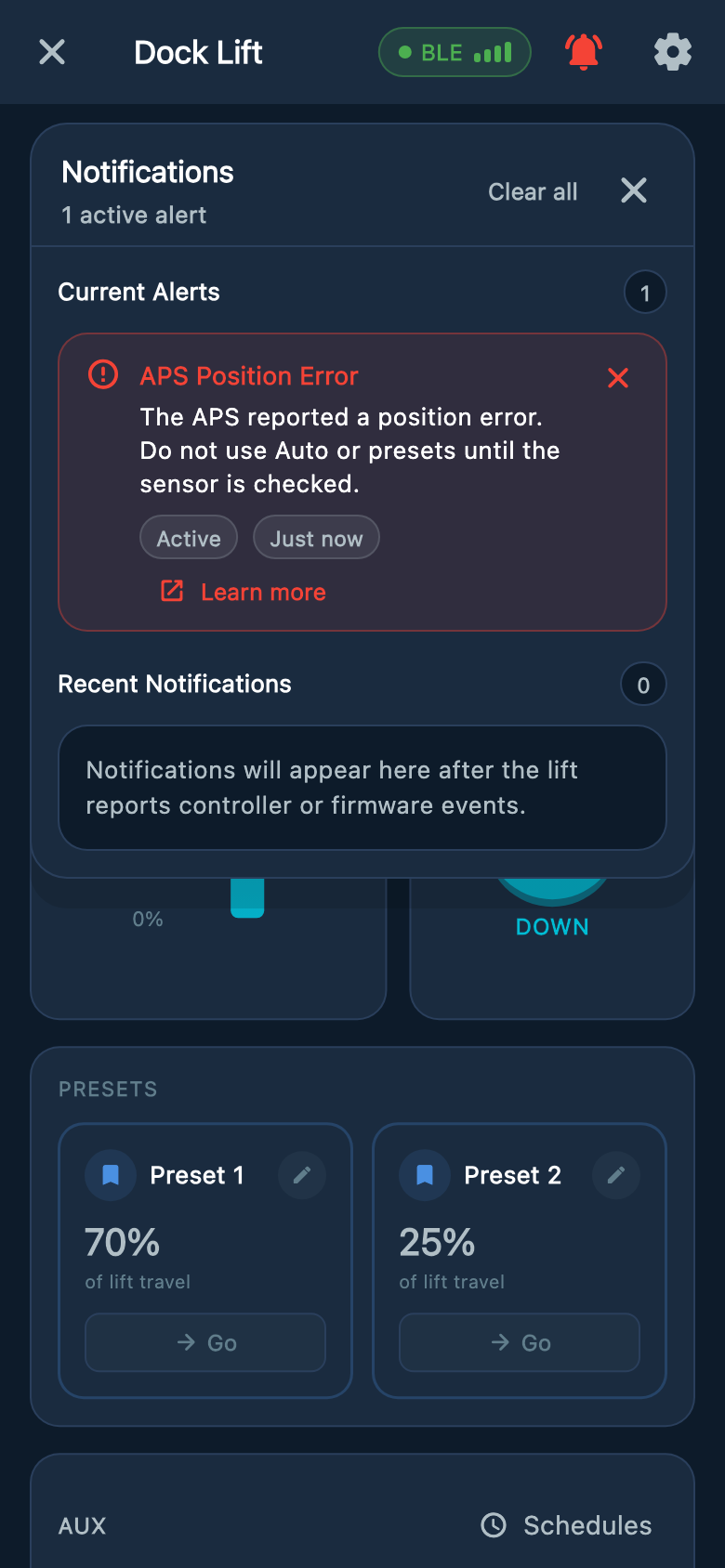
Select an image to enlarge it.
Can I still move the lift?
- Limited manual movement may be available. Ask your installer before using it to recover the lift.
- When the controller allows this recovery movement, hold UP or DOWN. Each move lasts no more than five seconds and may stop sooner. Release fully and wait at least one second before another press.
- Do not rely on the displayed height or saved stopping points during recovery. Stop if the lift moves unexpectedly.
Was this article helpful?
Tell us whether this answered your question.