

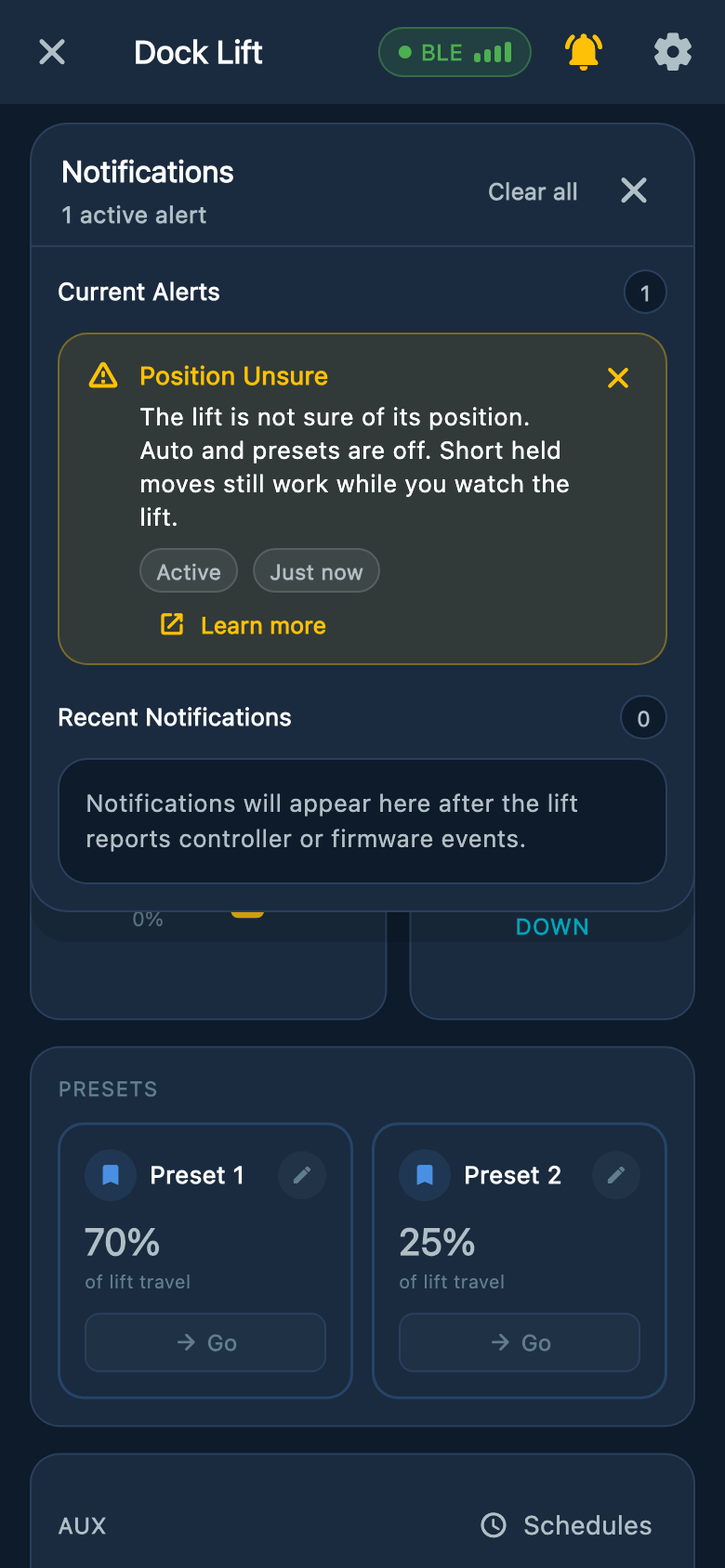
Position Unsure
The controller cannot confirm the lift’s height. Automatic movement and saved positions may be unavailable until the sensor reading and position setup are checked.
Safety first
Keep Auto off and the lift in sight
Release the movement control and keep everyone clear. Do not rely on the height shown in the app or on saved stopping points while this warning is active.
What to do now
- 1
Read the full message
Take a screenshot and note the controller light pattern. Orange and red can indicate more than one sensor warning, so include the written message.
- 2
Look over the lift
From a safe distance, look for an uneven boat or cradle, loose cables, damage, or an obstruction. Do not reach into the lift.
- 3
Contact your installer
Explain what the lift was doing when the message appeared and whether any work was recently done. Do not reset the position or change the stopping points yourself.
Example screens from Atlantis Boater. Names, device details, and settings are samples.
Select an image to enlarge it.
If the lift needs to be moved for recovery
- Ask your installer for instructions first. Limited manual movement may be available, but other warnings can prevent it.
- Keep holding UP or DOWN only while movement is needed. Each recovery move lasts no more than five seconds and may stop sooner.
- Release all movement controls and wait at least one second before another press. Keep watching the lift and stop if its movement is unexpected.
Was this article helpful?
Tell us whether this answered your question.