

Movement Timeout
The lift reached the movement time limit set by your installer, so the controller stopped it. The lift may be moving too slowly, caught on something, overloaded, or in need of service.
Safety first
Release the control before doing anything else
Keep everyone clear and do not keep pressing the button to finish the move. If movement is unexpected, turn the key OFF. If movement continues, switch off the labeled breaker or disconnect only if you can reach it safely without approaching the lift or electrical wiring.
What to do now
- 1
Record the warning
Atlantis Boater may call this Operation Timeout. Take a screenshot and note which direction the lift was moving and where it stopped. The controller may pulse red twice, then pause.
- 2
Look from a safe distance
Check for an uneven boat or cradle, loose or crossed cables, debris, or anything in the travel path. Do not reach into the lift.
- 3
Note anything unusual
Tell your installer about slower movement, grinding, scraping, repeated clicking, or a cable winding differently.
- 4
Ask your installer before retrying
If the cause is unclear or the warning returns, leave the lift stopped and arrange service.
Example screens from Atlantis Boater. Names, device details, and settings are samples.
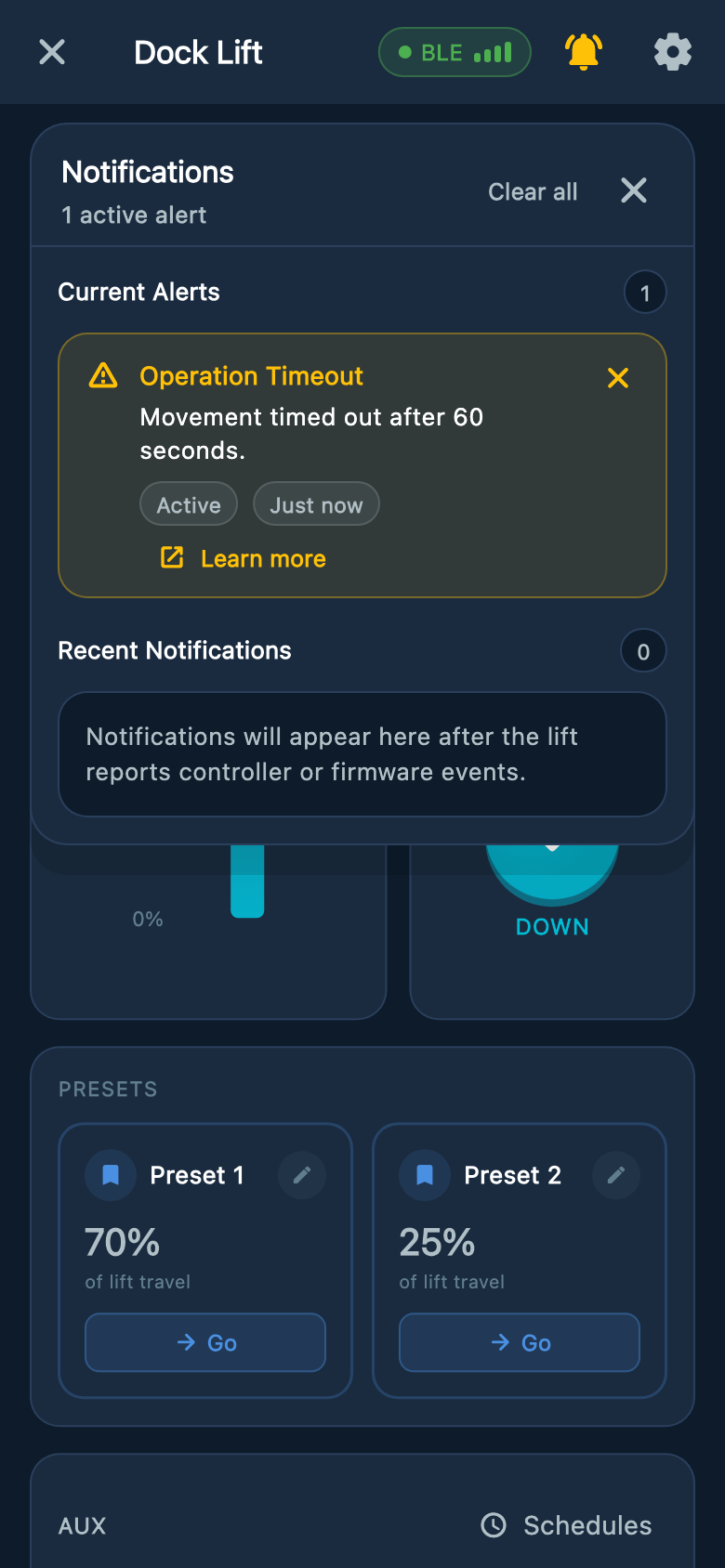
Select an image to enlarge it.
What the timer does
- The timer limits how long a move can run. It does not measure lift height.
- On a lift set up as Manual (no limit switches), you must hold the control to move and release it to stop. The timer does not guarantee a stop at the physical top or bottom.
- The controls may allow another move after a timeout. A cleared light does not show that the cause was repaired.
- Do not increase the movement time to hide a recurring warning. Your installer should inspect the lift and confirm the correct setting.
Was this article helpful?
Tell us whether this answered your question.